Arduino vs ESP32 vs Raspberry Pi vs M5Stack — Which Should You Start With?
This is the most asked question in every maker community, every Reddit thread, every parent Facebook group in November and December. Which one should we get? Arduino? ESP32? Raspberry Pi? That M5Stack thing a YouTuber mentioned? The honest answer is: it depends — but it’s not complicated. This guide will get you to the right answer in five minutes.
The Short Version — One Paragraph Each
Arduino UNO
The Arduino UNO is the original maker platform, and it earned that title for a reason. It’s simple, forgiving, and surrounded by more beginner tutorials than any other board on the planet. Plug in a sensor, write ten lines of code, see it react in real time. That feedback loop — wire something up, make it work — is what turns a curious kid into someone who genuinely understands electronics. The UNO runs on 5V, is nearly impossible to destroy by accident, and its ecosystem of shields (add-on boards) means you can grow into motors, Bluetooth, displays, and beyond. The downside: no WiFi, relatively low power, and it starts to feel limiting once you know what you’re doing.
ESP32
Think of the ESP32 as Arduino’s faster, smarter younger sibling. It has built-in WiFi and Bluetooth, a dual-core processor, and costs about the same as a cup of coffee ($5–$10 for the bare chip). It runs Arduino code, so everything you learn on Arduino transfers directly. The catch for true beginners: the ESP32 itself is a bare circuit board — you need a breadboard, wires, and a bit of comfort with components. But the payoff is massive: IoT dashboards, smart home gadgets, wireless sensors, battery-powered devices. It’s the most popular microcontroller in the world right now, and its tutorial ecosystem is catching up fast.
Raspberry Pi
The Raspberry Pi is a different animal. It’s not a microcontroller — it’s a full Linux computer the size of a credit card. You connect a monitor, keyboard, and mouse, and you get a desktop. It runs Python beautifully, can run a web server, control a camera, and handle tasks that would be impossible on an Arduino or ESP32. The tradeoff: it has no built-in analog inputs, it’s overkill for simple electronics projects, and it takes longer to set up. Best for teens who want to write software — not just blink LEDs — or who want to learn Linux, build a retro game console, or run AI models locally.
M5Stack
M5Stack is what happens when someone puts an ESP32 inside a finished product. The M5Stack Core2 or Cardputer isn’t a bare circuit board — it’s a cased device with a color screen, buttons, speaker, and battery already built in. You can program it the same way as an ESP32, but you can also use UIFlow, a visual block-based programming environment that works like Scratch. This makes it by far the most accessible option for younger teens or kids with zero coding experience. The projects look impressive from day one, and there’s no fiddling with loose wires before anything works. We have a full M5Stack Cardputer review if you want to go deep on that specific device.
Side-by-Side Comparison
| Platform | Price | WiFi | Screen | Programming | Best For | Age |
|---|---|---|---|---|---|---|
| Arduino UNO | ~$25–$40 (kit) | No | No (add-on) | C++ (Arduino IDE) | Learning electronics fundamentals | 12+ |
| ESP32 | ~$30–$45 (kit) | Yes | No (add-on) | C++ / MicroPython | IoT projects, wireless sensors | 13+ |
| Raspberry Pi | ~$50–$80 | Yes | No (HDMI out) | Python / Linux | Software projects, servers, AI | 14+ |
| M5Stack Core2 | ~$35–$50 | Yes | Yes (2”) | UIFlow blocks / Python | First-time makers, visual projects | 10+ |
| M5Stack Cardputer | ~$30 | Yes | Yes (2.125”) | UIFlow blocks / Arduino | Teens who want cool-looking gear | 12+ |
Deep Dive — When to Pick Each One
Arduino UNO — The Electronics Teacher
When to pick it: Your teen wants to understand how electronics actually work. They’re curious about sensors, circuits, and how computers talk to the physical world. They’re patient enough to follow a structured tutorial.
What you can build: LED light shows, temperature monitors, motion detectors, servo-controlled robots, music players, RFID card readers, LCD clocks. The ELEGOO UNO Super Starter Kit includes 200+ components and 33 tutorials — enough projects to last a year.
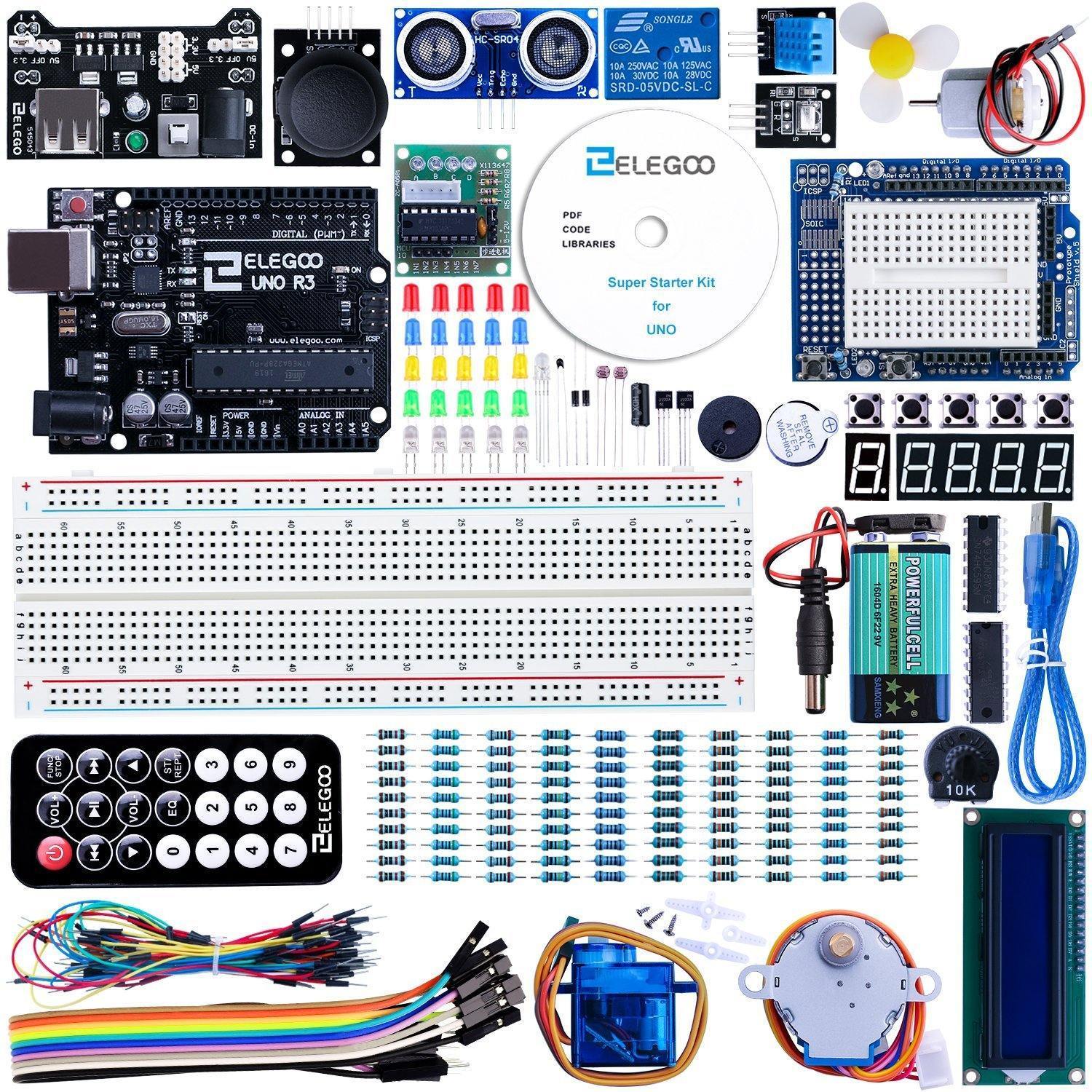
Recommended kit: ELEGOO UNO R3 Super Starter Kit (~$37) — the best-value beginner kit on the market. See our full Arduino starter kit roundup for more options.
ESP32 — The IoT Powerhouse
When to pick it: Your teen already has some coding exposure, or they’ve outgrown Arduino and want WiFi-connected projects. They want to build things that send data to the internet, control gadgets from a phone, or run on battery.
What you can build: Smart home sensors, weather stations that post to a web dashboard, Bluetooth game controllers, WiFi security cameras, wearable fitness trackers, voice-activated devices. The ESP32 is also the chip inside most M5Stack devices, so skills transfer directly.
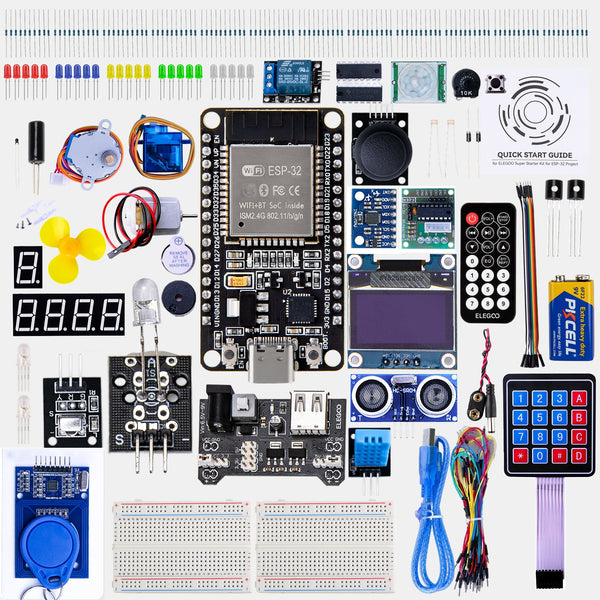
Recommended kit: ELEGOO ESP32 Starter Kit ($35) or the M5Stack Cardputer Adv ($30) if they want WiFi in a ready-to-use form factor. We have a list of cool ESP32 gadgets under $50 worth bookmarking.
Raspberry Pi — The Linux Computer
When to pick it: Your teen is more interested in software than hardware. They want to learn Python seriously, run a Minecraft server, set up a home media center, experiment with machine learning, or just have a real computer they can mess with without fear of breaking something expensive.
What you can build: Retro gaming console (RetroPie), personal web server, smart mirror, security camera with motion detection, AI image classifier, network-wide ad blocker (Pi-hole), time-lapse camera rig. The GPIO pins let you connect sensors and actuators too, but it’s more complex than on Arduino.
Recommended kit: Raspberry Pi 5 Starter Kit (~$80–$100 with case, power supply, and SD card) — buy the full kit, not just the board. The accessories matter.
M5Stack — The Visual Maker Platform
When to pick it: Your teen (or pre-teen) has zero coding experience and you want them to succeed immediately without a steep learning curve. Or they just want something that looks impressive on a desk and does cool things out of the box.
What you can build with UIFlow (no typing required): Animated weather displays, countdown timers, reaction time games, step counters, WiFi-connected notification boards. When they’re ready for code, the same hardware supports Arduino C++ and MicroPython — so there’s no ceiling.
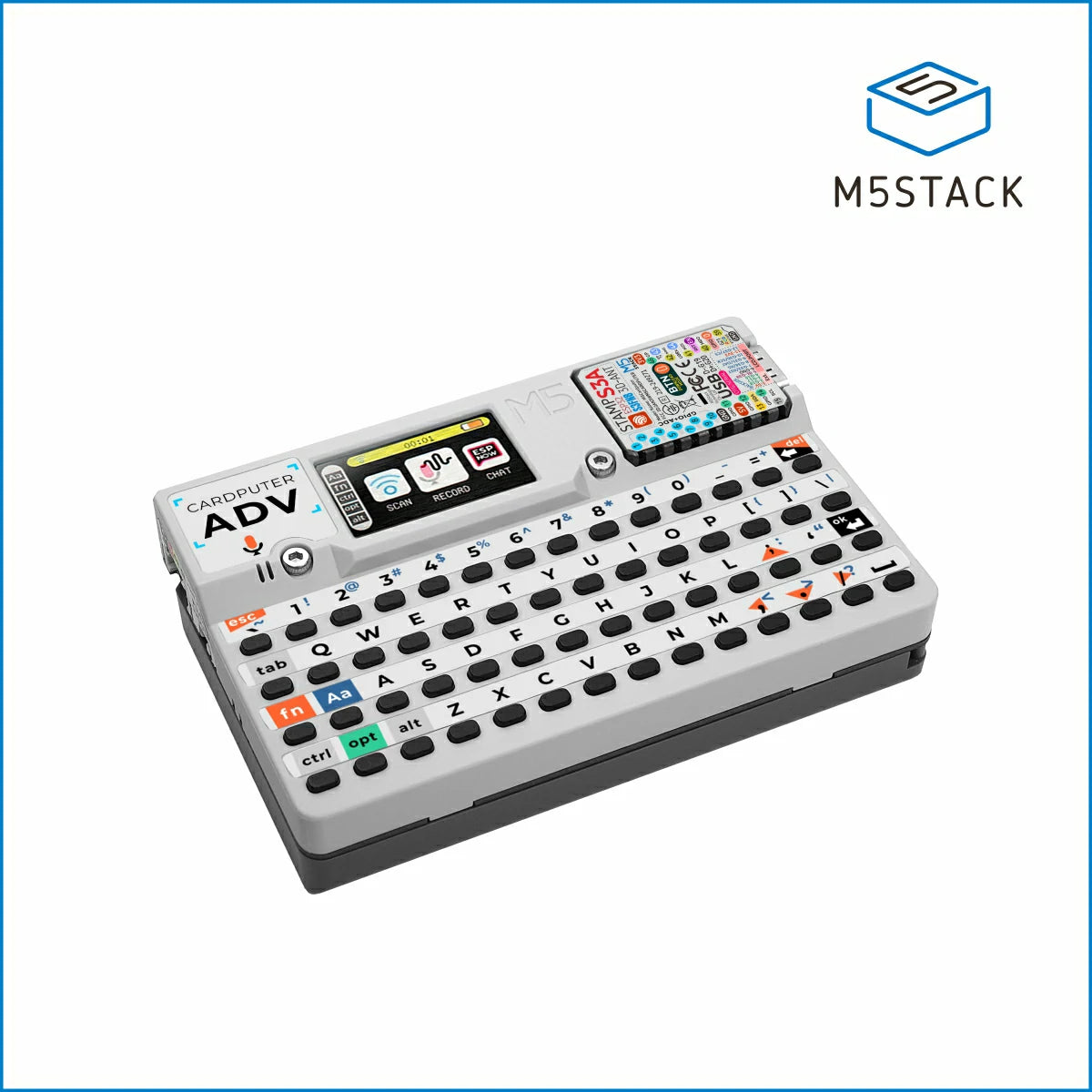
The M5Stack Cardputer is a standout: a pocket-sized computer with a real keyboard, color display, WiFi, Bluetooth, microphone, and speaker in a case that looks like a miniature laptop. Teens use them as WiFi analyzers, Bluetooth game consoles, and pocket AI terminals. Our Cardputer review covers it in full.
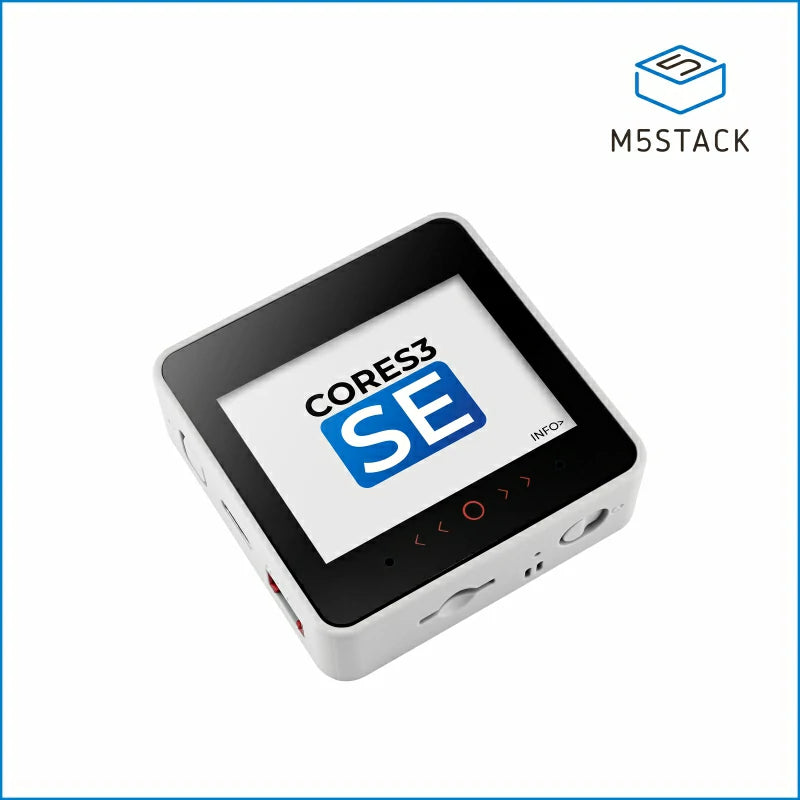
Recommended: M5Stack Cardputer Adv ($30) for teens who want something visual and cool, or M5Stack Core2 ($50) for a more traditional touchscreen development kit.
Decision Flowchart — Find Your Answer in 60 Seconds
Use this to cut through the noise:
“Zero coding or electronics experience?” → Start with M5Stack Core2 or Cardputer (UIFlow visual programming — no typing required to get projects working)
“Want to learn how electronics actually work from scratch?” → Arduino UNO with the ELEGOO starter kit — the structured lesson book is exactly what beginners need
“Want WiFi, IoT, and wireless projects?” → ESP32 — try the ELEGOO ESP32 kit for the full component experience, or the M5Stack Cardputer if you want WiFi in a finished device with zero assembly
“Want to run Python or Linux, build software, or host a server?” → Raspberry Pi — it’s a real computer, not just a microcontroller
“Want something that looks cool immediately and gets shown to friends?” → M5Stack Cardputer — it’s ready out of the box, fits in a pocket, and looks like a prop from a spy film
Common Mistakes to Avoid
Buying just the board, not a kit. A bare Arduino or ESP32 board does nothing without components. Always buy a starter kit that includes breadboard, jumper wires, LEDs, resistors, and sensors. The ELEGOO kits include everything.
Skipping the tutorials. Every platform has official and community tutorials. The teens who get the most out of these kits are the ones who follow a structured beginner course first, not the ones who try to figure everything out alone from day one.
Getting Raspberry Pi when they want electronics. The Pi is a computer, not a microcontroller. It doesn’t have analog inputs. If the goal is “learn how sensors and motors work,” Arduino or ESP32 is the right tool. If the goal is “learn Python and build software,” Pi is right.
Buying the most advanced thing. A kid who’s never written code does not need a Raspberry Pi 5 with 8GB RAM. Start where they are. M5Stack and Arduino are intentionally simple — that’s a feature, not a bug.
Forgetting power supplies and accessories. The Raspberry Pi 5 in particular needs a specific USB-C power adapter to run stably. The official kit includes it. Buying just the board and a random charger is a common frustration source.
FAQ
Can they switch later?
Yes, and they will. This is how almost every maker progresses: start on Arduino, move to ESP32, eventually touch Raspberry Pi or more advanced platforms. Nothing you learn on one platform is wasted on another. The core concepts — loops, conditionals, sensor readings, pin control — transfer everywhere.
Do they need to solder?
Not to start. Arduino kits, ESP32 kits, and all M5Stack products work with breadboards and connectors — no soldering iron needed. Soldering becomes useful later when you want permanent builds, but it’s an optional skill for probably the first six months of tinkering.
Which has the most tutorials?
Arduino wins on sheer volume — it’s been around since 2005 and the internet is full of guides, YouTube channels, and forum answers. ESP32 is catching up fast and the ecosystem in 2026 is excellent. Raspberry Pi has huge Python and Linux tutorial libraries. M5Stack’s UIFlow documentation is solid but smaller. If “finding help online” matters most, Arduino or Raspberry Pi have the deepest wells.
Which is best for a 10-year-old vs a 16-year-old?
For a 10–12 year old: M5Stack Core2 with UIFlow. Visual, immediate, no frustration. For a 13–15 year old with some interest in tech: Arduino UNO or Cardputer. For a 16–17 year old who codes or wants to: ESP32 or Raspberry Pi.
Can they use Python on Arduino or ESP32?
Arduino uses C++ by default. ESP32 supports MicroPython — a lightweight Python that runs directly on the chip. Raspberry Pi runs full Python. If Python is a priority, ESP32 (MicroPython) or Raspberry Pi (full Python) are the better fits.
Bottom Line
There is no wrong answer here, but there is a best answer for your specific teen.
If they’ve never touched electronics and you want them to succeed immediately: M5Stack Cardputer or Core2. If they want to understand how electronics work from the ground up: Arduino UNO kit. If they want connected, wireless projects and have some coding exposure: ESP32. If they’re a software person who wants a real computer to experiment with: Raspberry Pi.
All four are genuinely good. All four will teach real skills. The best gift is the one that matches where they are right now — not where you hope they’ll be in six months.
Projects to build with each platform
Once you pick a board, start building. Here are real projects matched to each platform:
Arduino projects
| Project | What you’ll build | Time |
|---|---|---|
| LED Cube | 3D LED light sculpture | ~3h |
| Line-Following Robot | Autonomous robot that follows a track | ~2h |
| Electronic Instrument | Sound-making gadget with buttons and buzzer | ~1h |
ESP32 projects
| Project | What you’ll build | Time |
|---|---|---|
| WiFi Weather Station | Temperature/humidity dashboard | ~2h |
| Smart Light Controller | Phone-controlled LED from browser | ~1h |
| Room Intruder Alarm | PIR sensor + buzzer alarm | ~1h |
M5Stack / Cardputer projects
| Project | What you’ll build | Time |
|---|---|---|
| Universal TV Remote | IR blaster remote control | ~1h |
| Bluetooth Speaker | Wireless audio player | ~2h |
| Encrypted Messenger | Secure text chat device | ~2h |